One image, every screen: resizing, smart crops, splits and layouts
The deterministic image operations on Kugel Platform: responsive variants, smart crops, exact transforms, layouts and splits, and QR codes or barcodes, with live examples from 2026-10-15, the limits as read that day, and the warnings to expect.
19 min read By Platform Documentation Guide #Publishing
Image operations
One source image, every shape a page needs
A single illustration often has to serve as a wide hero, a square thumbnail, a social card, a phone-sized banner and a round avatar. Exporting each one by hand is slow, and a hand crop can cut through the subject.
Kugel Platform includes a set of deterministic image operations for this work: resize, crop by rectangle or by content, convert between formats, split an image into pieces, combine images into one layout, and draw a QR code or barcode. Deterministic means the same image and the same settings produce the same result, and no image model is involved.
Every operation saves its result as a new artifact, which is a stored image file with its own address, and leaves the original untouched. Running one does not publish anything. This article was produced the same way: every image in it was made on 2026-10-15 by the operations it describes, starting from two images that already existed in this site's store.
Core terms
Seven terms cover everything below
Each term is defined once here and used in the same sense in the rest of the article.
Artifact. A stored image file that belongs to one article or page. Its public address starts with
/img/, followed by the owner's id and a fingerprint of the file's content, so a changed file always has a new address.Adopt. An image operation accepts only a source that belongs to the same request as the article it serves. The
adopt_artifacttool brings an existing image from another request into this one by reference, and no file is copied. Both source images in this article were adopted this way.Manifest. The record saved with every result: the source's fingerprint, the tool, the settings, the limits that applied and the method version, which read
image-ops/1on 2026-10-15.Variant. The same picture at another width or in another format. A variant is never enlarged beyond its source.
Smart crop. A crop to a requested shape, such as 1:1, 16:9 or 3:1, whose position is chosen by an estimate of which part of the picture draws the eye most (saliency). The reply gives the chosen rectangle and a score.
Layout and split. A layout places several images on one canvas as a grid, a collage or a contact sheet, which is a grid with captions. A split does the reverse:
detect_regionsfinds the pieces andsplit_imagesaves each one as its own artifact.Code. A QR code or barcode drawn from exact text, then decoded again with
read_codesto confirm that it says what was intended.
How it fits together
Write tools, read-only tools, and the order to use them
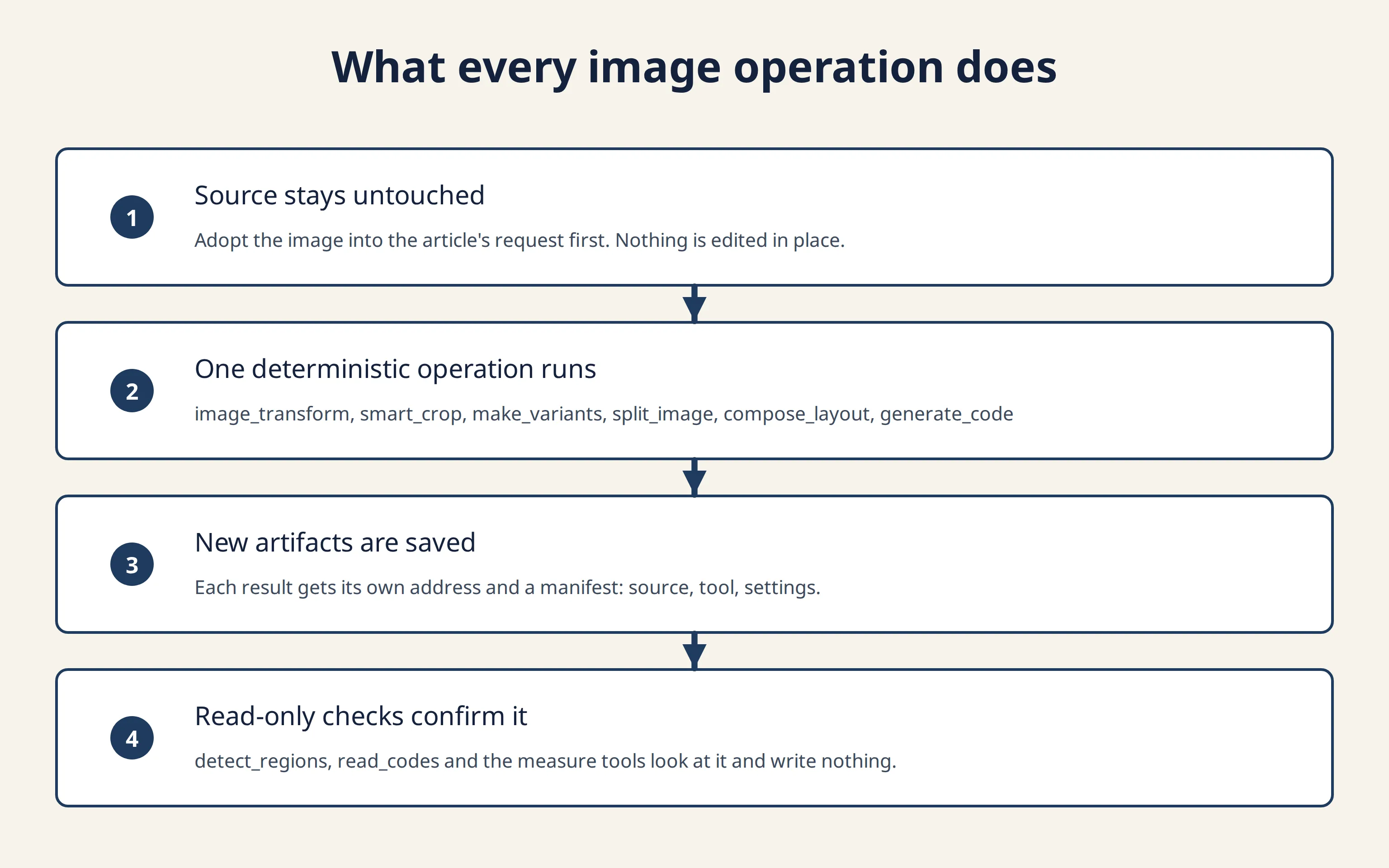
The tools fall into two groups. Seven write something new: image_transform, smart_crop, make_variants, split_image, compose_layout, generate_code and adopt_artifact. Three only look and change nothing: detect_regions, read_codes and measure_image_geometry. The diagram shows the order every writing operation follows.
How an agent uses them, in order
Find the source.
list_artifacts_by_kindlists the images already in the store, andsearch_artifactsis the other way to look.adopt_artifactbrings the chosen image into the article's request.Choose the operation by the result needed. An exact size, a format or a mask:
image_transform. A crop that keeps the subject in frame:smart_crop. Several widths and formats:make_variants. Cutting one image apart:split_image, withdetect_regionsto preview the cuts. Putting images together:compose_layout. A QR code or barcode:generate_code.Read the reply. Every reply lists its warnings and the limits it used. Warnings never block. A refusal returns a short message and writes nothing.
Look at the result and, where it helps, measure it. Open the returned address, run
measure_image_geometryagainst an expected aspect ratio, or runread_codesagainst a code.Embed the result. Use the returned public address, which starts with
/img/, in the article. The article then follows its normal save, validate and publish path.
An agent connected to this site calls the tools in this order. How the admin chat words such a request was not tested for this article.
Example 1
Responsive variants of one image
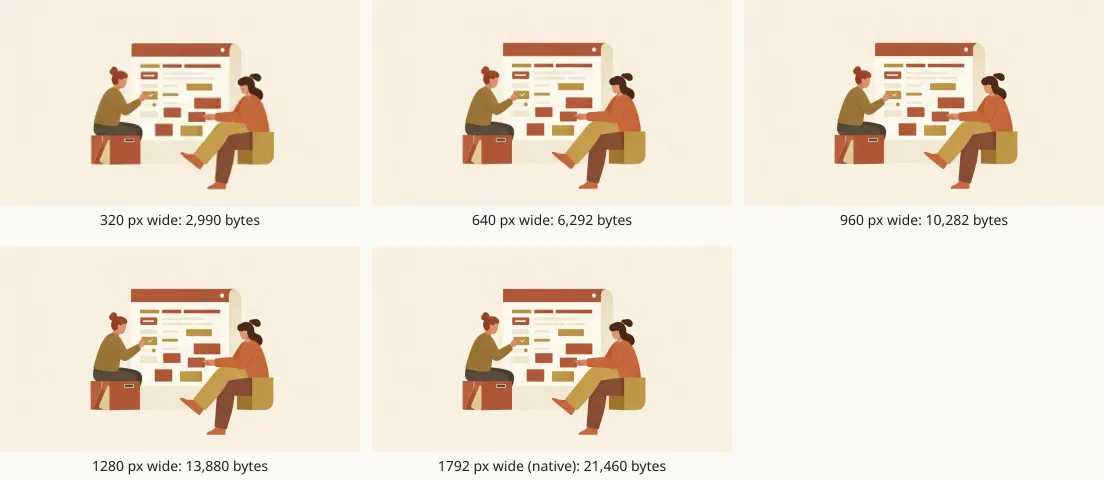
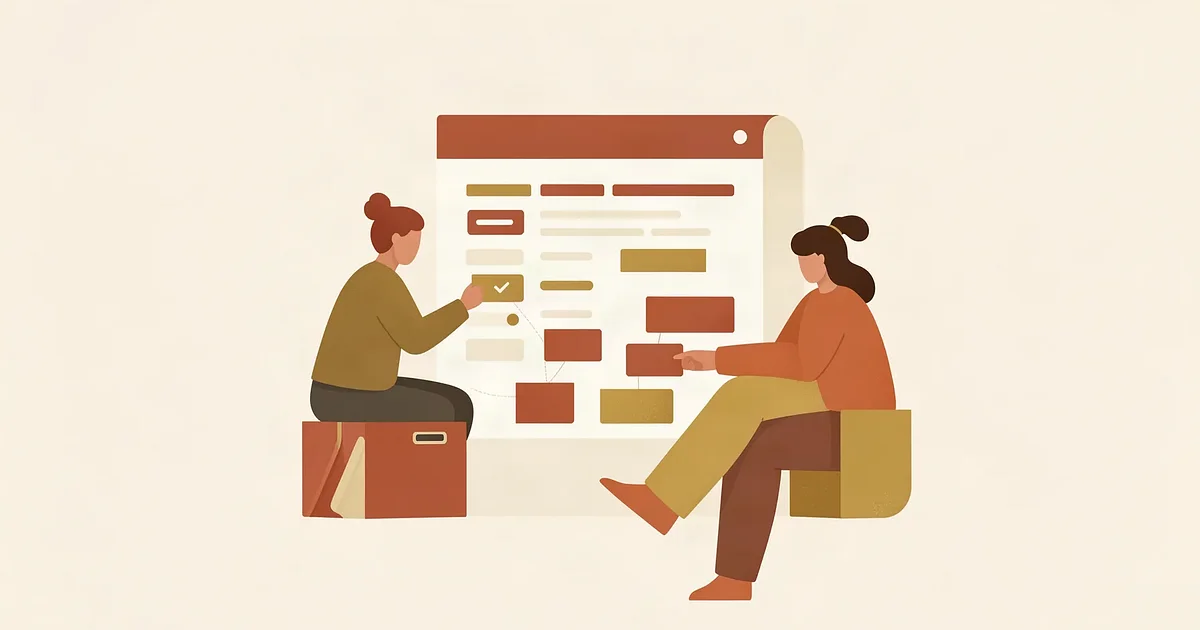
The source was an illustration of two people at a planning board, 1792 by 1024 pixels and 23,088 bytes as a WebP. One make_variants call with the default widths and the default formats, WebP and JPEG, returned ten files.
The default width list ends at 1920, which is wider than the source. The call skipped it, reported IMAGE_OPS_VARIANT_SKIPPED ("Width 1920 exceeds source width 1792; skipped (no upscaling).") and added the source's own width as the largest variant, reported as IMAGE_OPS_VARIANT_NATIVE_ADDED. Both are information, not errors.
File sizes in bytes, WebP then JPEG
320 pixels wide: 2,990 and 5,864
640 pixels wide: 6,292 and 14,209
960 pixels wide: 10,282 and 24,542
1280 pixels wide: 13,880 and 35,193
1792 pixels wide: 21,460 and 52,224
For this flat-colour illustration the WebP was between 39 and 51 percent of the size of the JPEG at every width. Photographs behave differently, so measure rather than assume.
A second call asked for AVIF, WebP and JPEG at 640 and 1280 pixels wide. At 640 wide the files were 4,380 bytes (AVIF), 6,292 (WebP) and 14,209 (JPEG). At 1280 wide they were 10,469, 13,880 and 35,193. The three formats use different quality scales, with defaults of 55 for AVIF, 80 for WebP and 82 for JPEG, so this compares what the defaults produce and not equal visual quality. Whether a site should serve AVIF depends on the browsers it must support, which this article did not test.
The reply also carries a thumbhash, a very short text string (here 9igGDIL4ljh6h3Z9hYQGhXJgOA==) that a page can turn into a blurred placeholder while the real image loads. Repeat calls with the same settings returned files with identical fingerprints, so repeating a call does not create duplicates.
Example 2
A square crop and a 16:9 crop of the same image
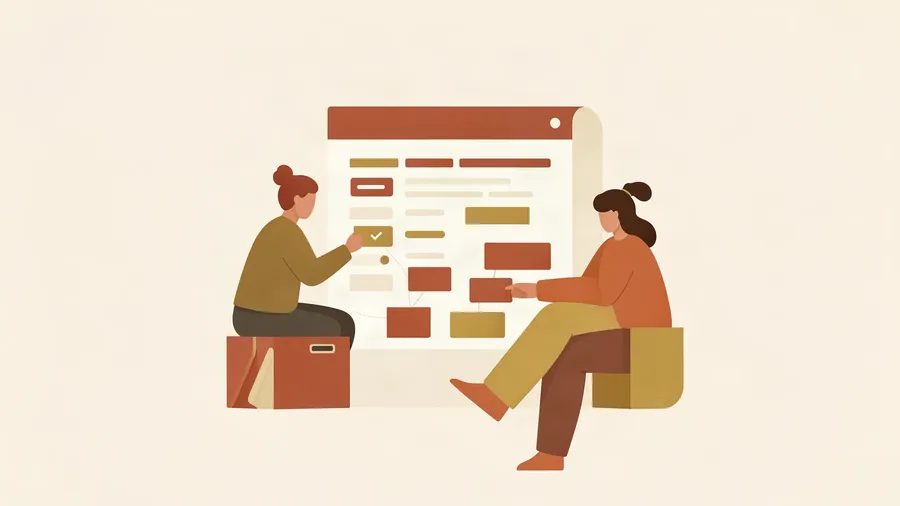
One smart_crop call on the planning-board illustration asked for the shapes 1:1 and 16:9 at an output width of 900 pixels. It returned two crops and no warnings.
1:1. The chosen rectangle starts 18.7 percent in from the left and spans the full height (source pixels 335 to 1359 across, 0 to 1024 down). Saved at 900 by 900 pixels, 16,580 bytes, score 0.001651.
16:9. The rectangle covers nearly the whole picture (1792 by 1008 source pixels), because the source is already close to 16:9. Saved at 900 by 506 pixels, 9,716 bytes, score 0.001227.
measure_image_geometry confirmed the shapes. The 16:9 file measured 900 by 506 pixels with an aspect ratio of 1.7787 against an expected 1.7778, and the check passed. The square measured exactly 1.
Look at the square before using it. The person on the left and the board are whole, but the person on the right is cut at the edge of the frame. The same measurement shows why: the brightness of the right-hand 8-pixel edge strip averaged 0.8981, against about 0.945 on the other three edges, which means something darker than the pale background touches that edge. smart_crop picks the region its estimate favours, which is not always the one an editor would choose. When a subject must stay whole, use image_transform with a fixed rectangle instead.
The scores are small on flat illustrations, so compare crops of the same image with each other and do not read a score as a grade.

Example 3
Smart crop against a fixed centre crop
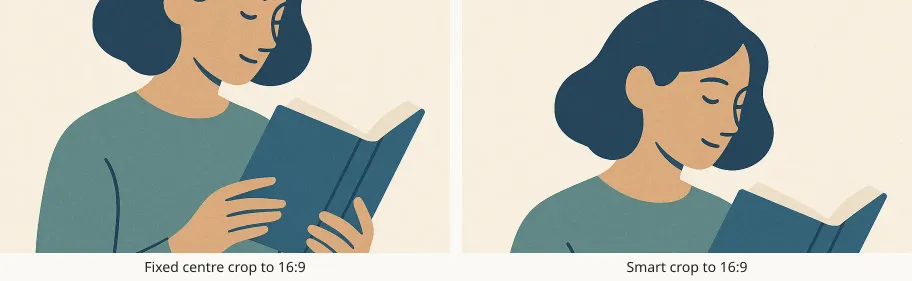
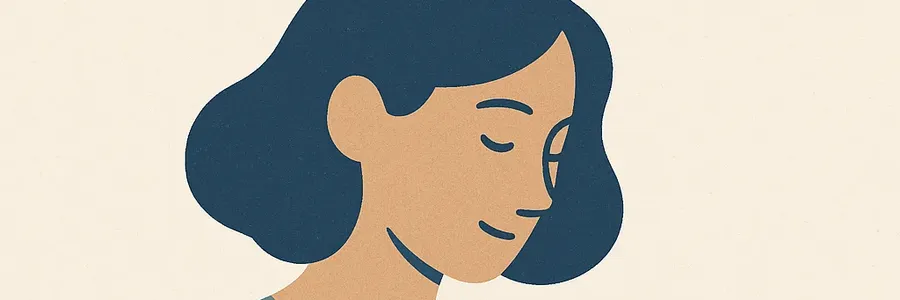
The second source was an illustration of a woman reading a book, 1024 by 1024 pixels and 77,514 bytes. It was cropped to 16:9 twice.
Fixed centre crop, made with
image_transform: a rectangle starting 224 pixels from the top and spanning the full width, then resized to 900 pixels wide and saved as WebP at quality 80. Result: 900 by 506 pixels, 30,936 bytes.Smart crop, made with
smart_crop: a rectangle starting 32 pixels from the top. Result: 900 by 506 pixels, 21,112 bytes, score 0.000433.
The fixed crop cuts through the eyes. The smart crop keeps the hair, the face and the top of the book in frame. The smart crop is also the smaller file, 21,112 bytes against 30,936.
The same call also asked for a 3:1 banner. It came back at 900 by 300 pixels, 11,790 bytes, score 0.000174. A shape that wide leaves room for little more than the face, so the hair and the chin are trimmed. An extreme shape loses content whatever method chooses the position.
Example 4
Exact sizes and shapes with image_transform
image_transform takes an ordered list of pixel operations, runs them in that order and saves one new artifact. Two jobs show the range.
A share card. Resize the planning-board illustration to 1200 by 630 pixels with fit
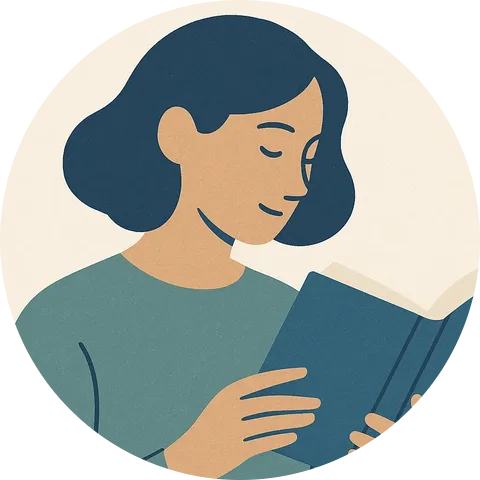
cover, centred, then sharpen, then save as WebP at quality 85 with a ceiling of 40,000 bytes. Result: 1200 by 630 pixels, 17,640 bytes. The ceiling was met on the first encode, so no warning appeared.A round avatar. Crop the reader illustration to a rectangle (10 percent in from the left, full top, 80 percent wide and high), resize to 480 by 480 pixels with fit
cover, apply a circle mask, then save. Saved as PNG the file was 300,740 bytes. Saved as WebP at quality 82 it was 16,408 bytes. Both keep transparent corners.
measure_image_geometry on the WebP avatar reported that it has transparency and that 78.85 percent of its pixels are opaque, which is what a circle inside a square should give (a circle fills about 78.5 percent of its square). With no expected values supplied, the status was reported as not evaluated.
The PNG avatar shows why format matters. At 300,740 bytes it is nearly twice the 153,600-byte budget for article images. Validating an article that embeds it returned a media_budget warning naming the size and the budget and pointing to WebP as the preferred format. The warning does not stop a save. The WebP version is under the budget by a wide margin.
A misspelt option is refused before anything is written. The first share-card attempt used the position centre and came back with this message: invalid ops: ops[0].position: must be "center", "attention", "entropy" or {focal:{x,y}} with x,y in 0..1. Correcting the spelling to center and running it again produced the card above. The message also lists the accepted values: center, attention, entropy, or a focal point given as x and y between 0 and 1.
Example 5
A layout composed from the results, then split apart again
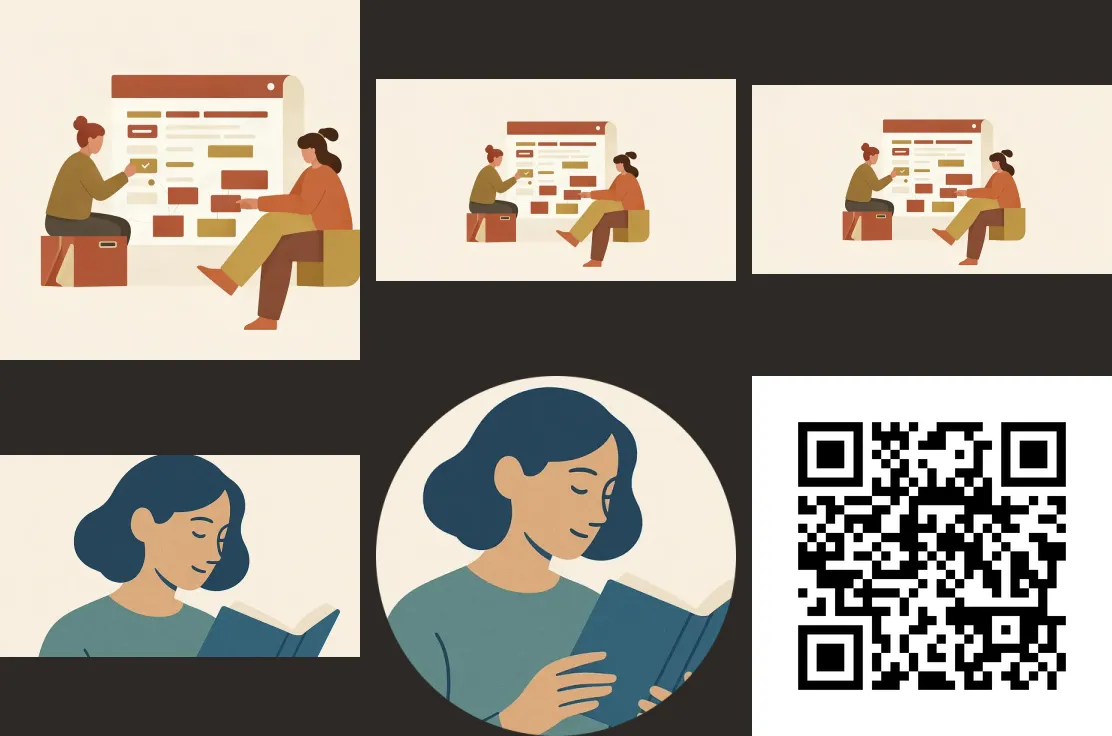
compose_layout placed six earlier results on one canvas: the square crop, the 16:9 crop, the share card, the reader's 16:9 smart crop, the round avatar and the QR code from Example 6. The settings were a grid of 3 columns, 360-pixel cells, 16-pixel gaps, a dark background and fit contain, which keeps every image whole and leaves margins around those that do not fill their cell. The canvas came out at 1112 by 736 pixels.
The same layout saved as PNG was 331,457 bytes. Saved as WebP it was 32,192 bytes, about a tenth. The WebP is the one shown here.
Going back the other way
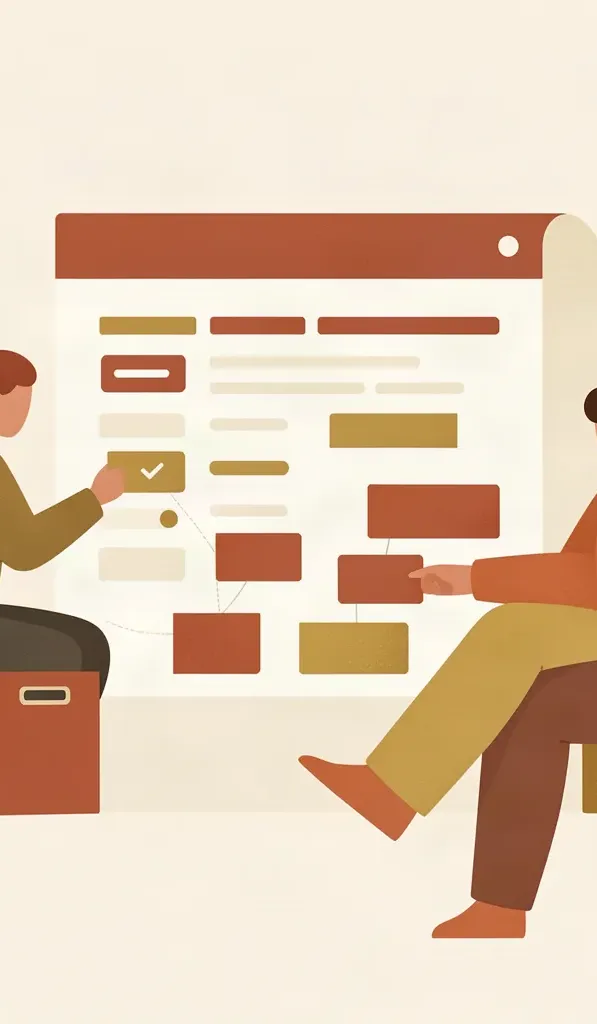
detect_regionslooked at the PNG version and wrote nothing. It found six panels and reported a confidence for each: 1, 1, 1, 0.75, 0.69 and 1. The two lower values, 0.75 and 0.69, belong to the reader's smart crop and the round avatar.split_imagein auto mode, told that the gutters were dark, saved six tiles at 360 by 360, 360 by 202, 360 by 189, 360 by 196, 354 by 353 and 360 by 360 pixels. The tiles follow the pictures' own proportions, so the margins fromcontainwere trimmed away.read_codesfound the QR code again inside the composite, at 268 by 268 pixels, with the same text as before.split_imagein grid mode cut the planning-board illustration into three vertical slices of 597, 597 and 598 pixels by 1024, at 4,820, 12,902 and 5,014 bytes, the kind of cut used for a swipe carousel. The middle slice is shown below.
One call in this example returned Error POSTing to endpoint: Bad Gateway, the first grid split. It had in fact succeeded. Retrying with the same retry key (idempotency_key) returned the original three tiles, marked as replayed, and created nothing new.
Example 6
A QR code and barcodes, checked by reading them back
generate_code draws a code from exact text and saves it as an image. read_codes decodes an image and reports each code it finds, so a generated code can be verified before anyone prints it.
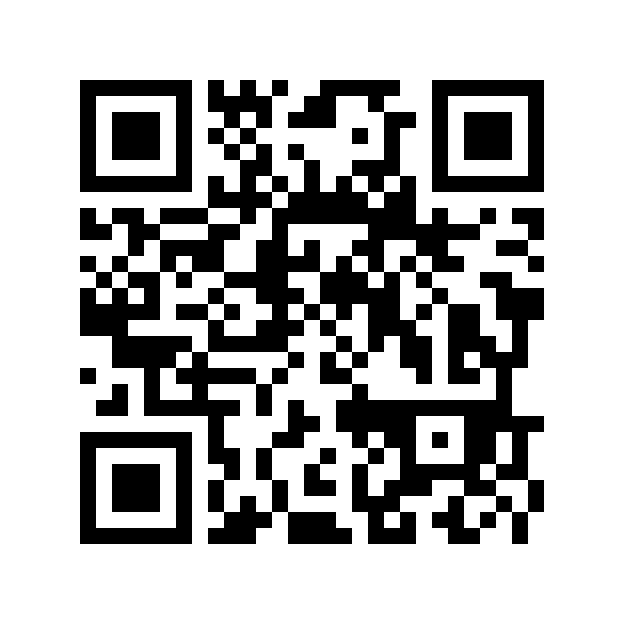
QR code for https://kugel-platform.netlify.app/. Error correction M, 8 pixels per module, saved as PNG at 624 by 624 pixels (11,715 bytes).
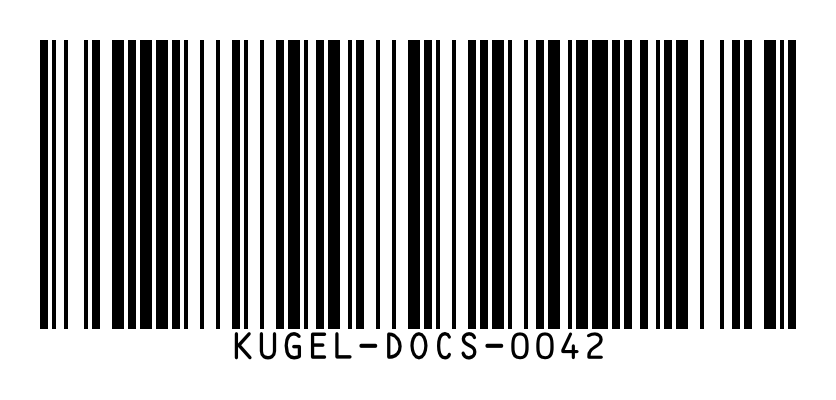
read_codes, filtered to QRCode, returned one code whose text matched the address exactly, with its box at 80, 80 and 464 by 464 pixels and no warnings.Code 128 asset tag, text KUGEL-DOCS-0042, with the text printed under the bars. 836 by 400 pixels, 26,727 bytes. Read back as Code128 with identical text.
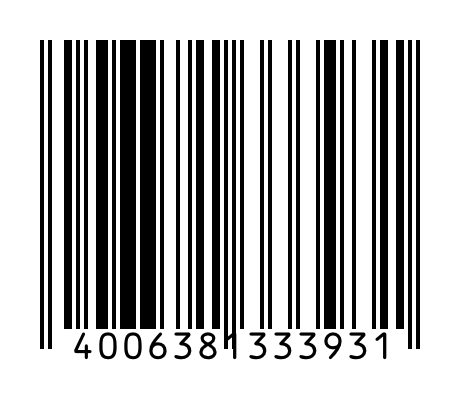
EAN-13 retail code, digits 4006381333931. 460 by 400 pixels, 14,357 bytes. Read back as EAN13 with identical digits.
A payload that breaks a symbology's rule is refused and writes nothing. The EAN-13 request 40063813339AB returned ean13 requires 12 or 13 digits. The tool also supports ean8, upca, code39, datamatrix, pdf417 and itf14; those six were not generated for this article.
Boundary
Limits, as read on 2026-10-15
The limits below were read from get_image_model_policy on 2026-10-15. Each figure is the site's current value, with the administrator's ceiling in brackets where one exists. They are values to re-read, not constants.
Pixel operations per transform call: 32 (ceiling 128).
Output size: 8,192 pixels on the longest side (ceiling 16,384), and 40,000,000 pixels in total (ceiling 100,000,000).
Input size: 40,000,000 pixels (ceiling 100,000,000).
Tiles per split: 64 (ceiling 256). Images per layout: 36 (ceiling 100).
Variants: the setting is called
maxVariantsPerCall, currently 8 (ceiling 16). In practice the check was widths multiplied by formats against three times the setting: with the setting lowered to 1 for one call, four widths in one format were refused with "widths x formats (4) exceeds 3." At the current value of 8 that suggests 24 files in one call. Ten files in one call and nine files in another were accepted. The 24 itself was not tested.Default quality: JPEG 82, WebP 80, AVIF 55. The policy's re-encode settings, used when a byte ceiling is set, are a quality step of 8, a minimum quality of 40 and up to 6 attempts.
Default variant widths: 320, 640, 960, 1280 and 1920 pixels. The placeholder string is computed from a copy of at most 100 pixels, the policy's thumbhash setting.
Layout defaults: 3 columns, 320-pixel cells, 8-pixel gaps, a 28-pixel caption strip, captions up to 80 characters, fit
contain. A crop beyond 10 percent of an image's area raises a warning.Article image budget: 153,600 bytes per image, WebP preferred. This comes from the article contract and is separate from the operation limits above.
Writes: 60 per 10 minutes per member, shared by every agent working as that member. Several refusals of this kind occurred while this article was made.
Where the limits live and how to override one
The operation limits sit inside the site's image model policy, which get_image_model_policy reads. Every writing tool also accepts a limits object for one call and reports the values it used as limitsUsed. Lowering a limit this way worked: an image_transform request for a 1,200-pixel width with maxOutputSide set to 1000 was refused with "ops[0].width: must be an integer >= 1 and <= 1000". Whether a per-call value can exceed the site's value was not tested.
Changing the site's stored limits is an administrator task. The tool that replaces the policy, set_image_model_policy, was not used for this article, and this article does not document its syntax.
Boundary
Warnings, refusals and what to do about each
Warnings: the call succeeded and the report says something
IMAGE_OPS_VARIANT_SKIPPEDandIMAGE_OPS_VARIANT_NATIVE_ADDED: a requested width was larger than the source. Observed in Example 1. Nothing to fix. Ask for widths at or below the source to avoid the notice.COMPOSE_CROPPED: a layout cell with fitcovercut away more than 10 percent of an image. Observed here with three images forced into 300-pixel square cells: "Image 0 loses 67% of its area to fit its 300x300 cell (fit "cover"); use fit "contain" to keep it whole." Image 1 lost 44 percent, and the square image lost nothing and drew no warning. Usecontain, or size the cells to the images.IMAGE_OPS_MAX_BYTES_MISSED: the tool description says a missed byte ceiling warns. It did not occur in this session, so its wording is unverified.media_budgetat validation: an embedded image is over 153,600 bytes. Observed with the 300,740-byte PNG avatar. The article still saved. Re-encode as WebP.
Refusals: nothing was written
A bad option, such as the position
centre.A value beyond a limit, such as a width of 8500 against the 8,192 limit: "ops[0].width: must be an integer >= 1 and <= 8192".
A payload that breaks a code's rule, such as letters in an EAN-13.
In each case, read the message, correct the one named field and run the call again. The tool descriptions name a code,
IMAGE_OPS_INVALID, for refusals of this kind. In these calls the code did not appear and the reply was a plain message.
Ambiguous failures: check before repeating
A 502 or timeout. The write may have succeeded. Retry with the same
idempotency_keyto get the original result back without a second write, as in Example 5.The write rate limit. The message states how many seconds to wait. Wait that long, and do not retry in a loop.
A successful read is not a scanning guarantee
A QR code was also drawn in a very pale colour, #e2dccf on white, a contrast of about 1.4 to 1. read_codes still decoded it with the correct text. The decoder is more forgiving than a phone held at an angle in poor light. Read-back proves the payload. It does not prove that every camera will scan the printed code, so print codes in a dark colour on a light ground.


Boundary
What this article did not verify
Everything above was observed in calls made on 2026-10-15. These points were not:
How the admin chat words a request for these operations. The tool order is what an agent calls, not a script the chat follows.
Changing the stored limits, and whether a per-call limit can exceed the site's value.
The real ceiling for files in one
make_variantscall beyond ten, and the inferred figure of 24.The six code types other than QR, Code 128 and EAN-13.
How AVIF files display across browsers.
Results on photographs. Both sources were flat-colour illustrations, so file sizes and crop scores will differ for photos.
Related reading
Related reading and the next safe step
How Images Are Found, Made and Checked: the whole image pipeline, from search to storage, and where a model edit is needed.
How an artifact is made: from brief to published image: a short illustrated walkthrough of one artifact.
Downloadable PDFs: Turning Platform Content Into a Document: the matching capability for documents.
What Actually Needs AI in This System (and What Doesn't): why operations like these need no model.
Other articles in this series on images and PDFs:
Download any article as a PDF: templates, kinds and the quality check
Labels, arrows and callouts on images: annotating without a designer
Checking images against the brand: colour, contrast, sharpness and logo placement
Editing PDFs without a designer: page numbers, watermarks, merging, text and forms
Finding and importing stock images: search, shortlist, licence and attribution
AI images in your site's own style: brand imagery, routing, candidates and edits
The next safe step is to read the limits with get_image_model_policy. It changes nothing. After that, running make_variants on an image in an article's request saves new artifacts and publishes nothing.